
Before you buy the composing gear big YouTubers use
When we're getting started as composers, it's really difficult to figure out what the most essential tools are that we're going to need. It's very tempting to just go out there and buy whatever the big YouTubers are using, or even worse, think that you can't get started with the basic gear you already have. Here are 10 tools I've used to compose music for orchestras and chamber ensembles.
 By Saad Haddad, composer
Here's the video this post comes from (10 minutes), or you can read it below.
- Your computer
- Your audio interface
- A basic MIDI controller
- A pair of headphones
- Manuscript paper
- A long desk lamp
- A recorder for your rehearsals
- Your DAW
- Your notation software
- Your playback sounds
All your initial ideas
1. Your computer
Let's get started with perhaps the most important tool, and that's going to be your computer. Mine was a Mac Studio that I bought refurbished.
If you want to stay in the Apple universe and not break the bank, which I can totally understand, one other possibility is a refurbished Mac Mini. Any extra storage that you'd want, you could store in the cloud or have an external hard drive for.
2. Your audio interface
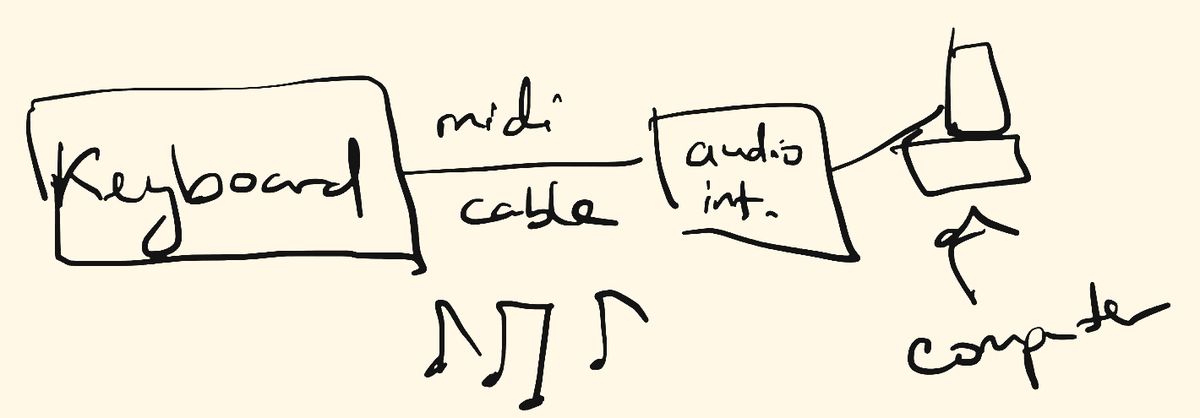
Your audio interface is going to act as a conduit between your computer and any other peripherals that you might have. One of those peripherals is a MIDI keyboard.
The cable here is different than the cable I use for the microphone. It's called a MIDI cable, and I connect it directly from the keyboard into the MIDI input on my audio interface. Then the audio interface relays that information to my computer, so I can actually play these keyboard sounds straight into the computer.
What your first audio interface needs
It needs at least 1 preamp, so 1 way to take a microphone signal, and at least 1 MIDI input, so you can connect a MIDI controller to it. And depending on what computer you have, you want to make sure that your audio interface connects directly to it with the appropriate cable.
- 1At least 1 preampSo 1 way to take a microphone signal.
- 2At least 1 MIDI inputSo you can connect a MIDI controller.
- ?What computer do you have?Either a regular USB cable or a USB-C cable.
3. A basic MIDI controller
The next tool that you're going to want to have is a basic MIDI controller. Mine was a Studiologic SL-990 XP. When I made the video I'd had it for over 10 years, and it had been my workhorse throughout all the different compositions that I'd written.
You don't need to have a MIDI controller like this one. There are alternatives, like the M-Audio Keystation, which do a perfectly acceptable job. As long as they have all 88 keys, I find that to be extremely helpful.
I don't want to have one of those small keyboards, because I often find transposing up and down an octave to be really cumbersome. I want to have all 88 keys in front of me.
And depending on if this is important to you at all, I also like to have the keys weighted, so I can feel like I'm playing on a real piano.
Your MIDI controller doesn't have to have anything extraneous on it. Mine had these little buttons that I didn't even use. I actually covered them up with my Mac keyboard.
The main purpose of this is just to be able to input some kind of MIDI data that your audio interface eats up and then spits at your computer.
4. A pair of headphones
The next tool has to do with how you're going to hear all this stuff. Instead of buying a pair of expensive speakers, what I'd suggest is to buy a pair of headphones. The ones I had were the Sony MDR-V6.
These have a very flat response and really help you understand what exactly is going on in whatever mix you're doing. And if you're in an apartment or you have roommates, you're not bothering anybody with your sound through the speakers.
5. Manuscript paper
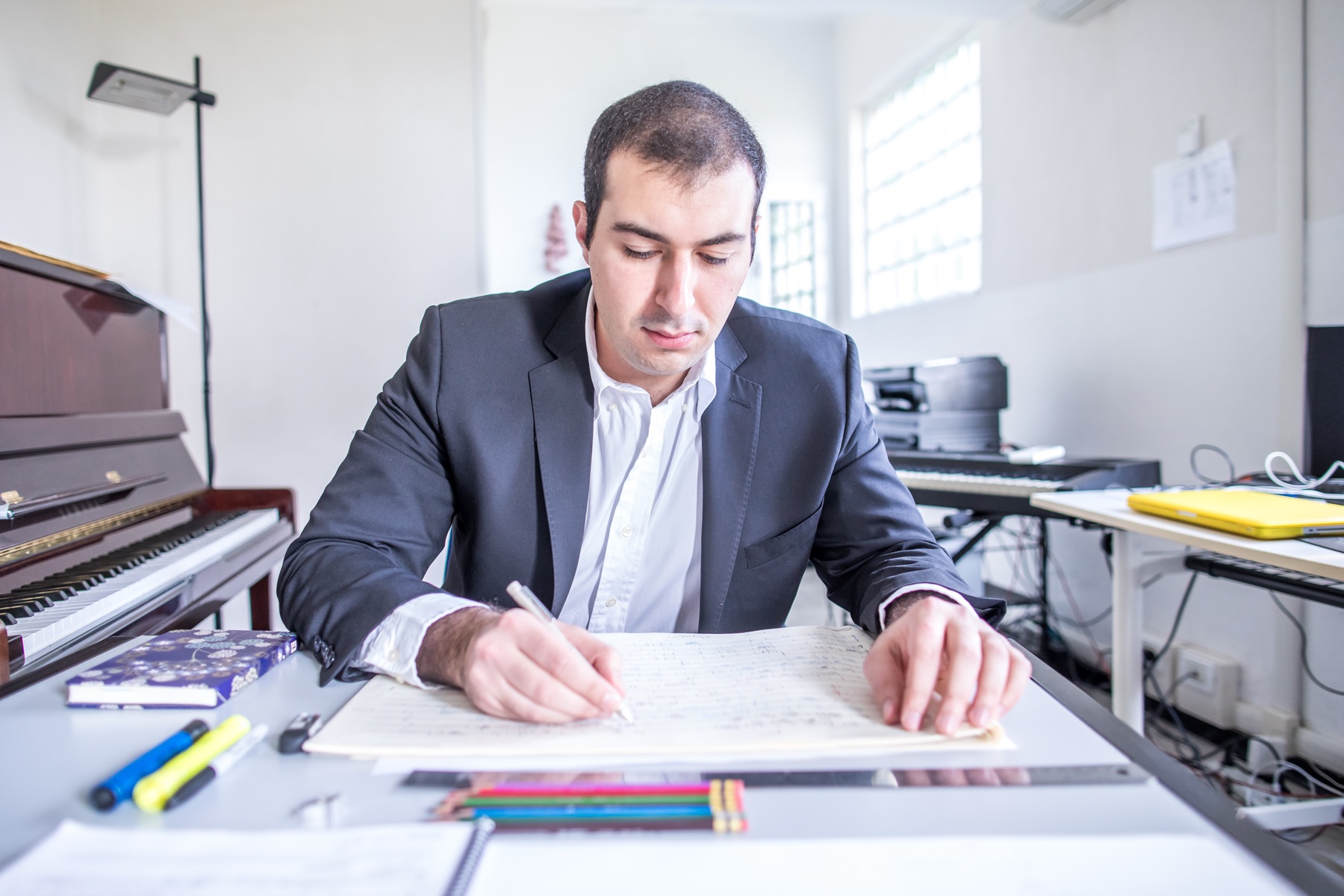
To get us away from all this technology, why don't we go back to basics with something as simple as manuscript paper? I always recommend, especially for all my students, that you write all your initial ideas on a sketch pad like this.
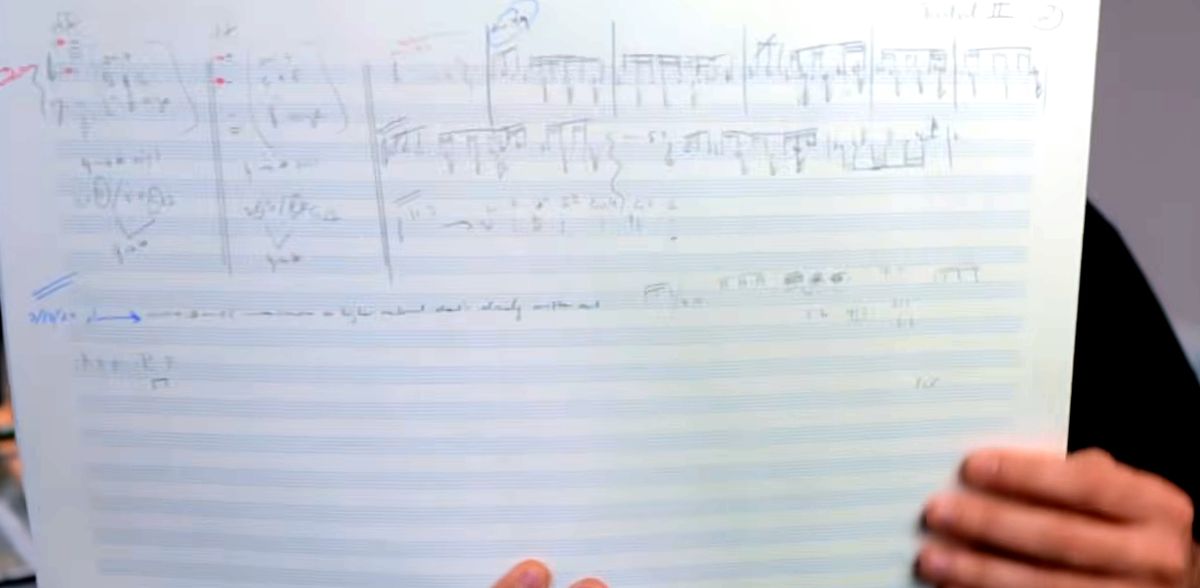
This happens to be Hal Leonard's Carta number 27 manuscript paper, and they make it in all sorts of sizes. I really like this paper because it has 16 staves all the way down, so it's really good for writing big orchestral scores.
It's also really good for things as small as solo pieces. I can just write a couple of lines, then have a little system break, then another couple of lines, then another system break. So I can put a lot of music on this one page, even if I'm just writing a piece for a solo or a duo.
The pages also feel really nice to the touch. It really feels like you're doing something more real, I suppose, rather than just inputting notes into the computer. So as much as I can, I try to put all my ideas onto paper first before I start putting them into the computer.
6. A long desk lamp
This thing is a godsend, especially when I'm working at night. Mine was an OTUS LED desk lamp, and it was really long. What this does is provide you plenty of light, especially horizontally, for when I'm working on that big manuscript paper.
I could adjust the brightness and the temperature, so it's really good for making sure that you have the exact settings that you'd like when you're composing music. An alternative idea is to get another lamp that has similar horizontal functionality.
7. A recorder for your rehearsals
My next tool for you to get is the Zoom H4n recorder or something similar to it. Let's say that you're having a piece performed, or a piece read, or a piece rehearsed. You want a really quick and easy way to record all your musicians without having to hire an engineer or get a studio.
This recorder, just as is, does quite a good job of getting a reasonable sound out of that kind of environment. And it's really quick and easy.
- Turn it onit's really quick and easy
- Point itin the vicinity of the musicians
- Hit recordand you get a reasonable sound out of it
Of course, this does not in any way replace having proper microphones in a proper studio environment with a proper engineer. But for those of you that want to get something quick, dirty and easy, this is the way to do it. I've actually used this a bunch of times to record pieces, especially if I didn't know they were going to be properly recorded.
8. Your DAW
So far, we've been just talking about hardware, but of course there's important software that you're going to have to get to start as a composer. The first one I'd recommend is your DAW. DAW stands for digital audio workstation, and there are many out there.
It's essential if you want to record MIDI piano notes into the computer, or record yourself singing into a microphone. It's also a really good way to improvise and get all your ideas saved, so that you don't have to remember what you were improvising before.
If you get a Mac, the most logical one to get is Logic Pro. If that's a little bit much for you at this stage, you can always use the alternate version, GarageBand. And if you're not a Mac user, another DAW is a program called Reaper. I haven't personally used it, but it's something I'd look into, especially if I had a PC.
9. Your notation software
Next up is probably going to be your most important tool, especially as a composer of classical or concert music, and that's your notation software. When I made the video, I'd been a power user of Sibelius for decades, and I'd dabbled with Dorico on a couple of pieces.
MuseScore can be a very professional option for you too, especially as a composer that's just starting out. A couple of the finalists in a contest of mine wrote their piece completely in MuseScore.
10. Your playback sounds
The last piece of software I recommend is a combination of softwares, depending on what's most important to you. If you'd like a very strong playback engine in Sibelius or Dorico, you can use a program called NotePerformer. It helps you create really realistic sounding mock-ups of your chamber, orchestral and solo pieces.
If you're like me, and you prefer to have whatever piano sound you're using completely customizable, I suggest getting a software like Pianoteq. You can change the pitch, the reverb, the hammer strikes on the keyboard, and many, many other things.
- Chamber pieces
- Orchestral pieces
- Solo pieces
NotePerformer
- Pitch
- Reverb
- Hammer strikes
Pianoteq
None of these tools are going to help you without this
At the end of the day, if you're not putting in the time listening to music, studying scores, and then following up with that by composing music of your own, none of these tools are going to help you in the long run.
What to do next
Once you have the tools you need to start, use my free guide to composing any piece in 4 steps.